Route Claude Code through Amazon Bedrock via Portkey. Get full observability, cost tracking, budget controls, and cross-region inference support.
See Claude Code overview for why platform teams use Portkey.
Important: Always use the latest version of Claude Code. Older versions may not work with Portkey’s gateway.
Quick Start
Create a Virtual Key
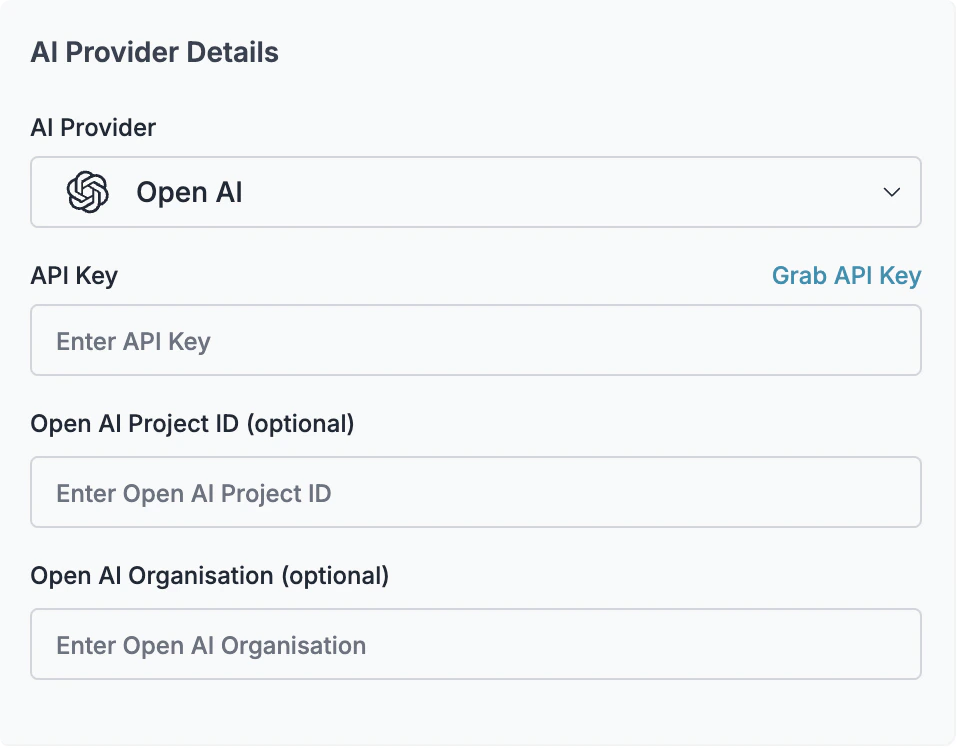
Go to Virtual Keys → Create → Select Amazon Bedrock . Enter your AWS credentials:
AWS Access Key ID
AWS Secret Access Key
AWS Region (e.g., us-east-1)
Save and copy the virtual key ID.
Configure Claude Code
Edit ~/.claude/settings.json (user-level) or .claude/settings.json (project-level): { "env" : { "ANTHROPIC_BEDROCK_BASE_URL" : "https://api.portkey.ai/v1" , "ANTHROPIC_CUSTOM_HEADERS" : "x-portkey-api-key: YOUR_PORTKEY_API_KEY \n x-portkey-provider: bedrock \n x-portkey-virtual-key: YOUR_VIRTUAL_KEY" , "ANTHROPIC_MODEL" : "us.anthropic.claude-sonnet-4-20250514-v1:0" , "CLAUDE_CODE_SKIP_BEDROCK_AUTH" : 1 , "CLAUDE_CODE_USE_BEDROCK" : 1 } }
Replace:
YOUR_PORTKEY_API_KEY with your Portkey API keyYOUR_VIRTUAL_KEY with your virtual key ID Model names are required. Bedrock uses different model IDs than Anthropic Direct API. Without these settings, requests will fail.
Cross-region inference: The us. prefix enables cross-region inference, routing requests to the nearest available region. Remove the prefix to use a specific region.
The CLAUDE_CODE_SKIP_BEDROCK_AUTH and CLAUDE_CODE_USE_BEDROCK must be set as numbers (not strings).
That’s it! All Claude Code requests now route through Bedrock via Portkey. Monitor usage in the Portkey Dashboard .
Using a Config For advanced features like fallbacks, caching, or retries, create a Portkey Config :
Create a Config
Go to Configs → Create Config : { "virtual_key" : "YOUR_VIRTUAL_KEY" , "override_params" : { "model" : "us.anthropic.claude-sonnet-4-20250514-v1:0" }, "cache" : { "mode" : "simple" }, "retry" : { "attempts" : 3 , "on_status_codes" : [ 429 , 500 , 502 , 503 ] } }
Save and copy the Config ID.
Update Claude Code Settings
Add the config to your settings: { "env" : { "ANTHROPIC_BEDROCK_BASE_URL" : "https://api.portkey.ai/v1" , "ANTHROPIC_CUSTOM_HEADERS" : "x-portkey-api-key: YOUR_PORTKEY_API_KEY \n x-portkey-config: YOUR_CONFIG_ID" , "ANTHROPIC_MODEL" : "us.anthropic.claude-sonnet-4-20250514-v1:0" , "CLAUDE_CODE_SKIP_BEDROCK_AUTH" : 1 , "CLAUDE_CODE_USE_BEDROCK" : 1 } }
Track Claude Code usage by team, project, or user:
{ "env" : { "ANTHROPIC_BEDROCK_BASE_URL" : "https://api.portkey.ai/v1" , "ANTHROPIC_CUSTOM_HEADERS" : "x-portkey-api-key: YOUR_PORTKEY_API_KEY \n x-portkey-provider: bedrock \n x-portkey-virtual-key: YOUR_VIRTUAL_KEY \n x-portkey-metadata: { \" _user \" : \" john.doe \" , \" team \" : \" engineering \" }" , "ANTHROPIC_MODEL" : "us.anthropic.claude-sonnet-4-20250514-v1:0" , "CLAUDE_CODE_SKIP_BEDROCK_AUTH" : 1 , "CLAUDE_CODE_USE_BEDROCK" : 1 } }
Advanced Configuration Fallbacks Route to backup providers when Bedrock fails. Create a config with fallback targets:
{ "strategy" : { "mode" : "fallback" }, "targets" : [ { "virtual_key" : "bedrock-virtual-key" }, { "virtual_key" : "anthropic-virtual-key" }, { "virtual_key" : "vertex-virtual-key" } ] }
Load Balancing Distribute requests across multiple providers or regions:
{ "strategy" : { "mode" : "loadbalance" }, "targets" : [ { "virtual_key" : "bedrock-us-east" , "weight" : 0.5 }, { "virtual_key" : "bedrock-us-west" , "weight" : 0.5 } ] }
Caching Reduce costs and latency for repeated queries:
{ "virtual_key" : "YOUR_VIRTUAL_KEY" , "cache" : { "mode" : "simple" } }
Retries Automatically retry failed requests:
{ "virtual_key" : "YOUR_VIRTUAL_KEY" , "retry" : { "attempts" : 3 , "on_status_codes" : [ 429 , 500 , 502 , 503 ] } }
Budget Limits Set spending controls on your virtual key:
Go to Virtual Keys → Select your Bedrock virtual key
Click Edit → Budget & Limits
Configure:
Cost limit : Maximum spend (e.g., $500/month)Rate limit : Requests per minute/hour
Budget limits prevent runaway costs from agentic coding sessions.
Troubleshooting Claude Code Version Issues Cause: Older versions of Claude Code may not be compatible.Fix: Update to the latest version:Or reinstall:
curl -fsSL https://claude.ai/install.sh | bash
Complete Example Full configuration with all features enabled:
{ "permissions" : { "allow" : [ "Bash(npm run lint)" , "Bash(npm run test:*)" , "Read(~/.zshrc)" ], "deny" : [ "Bash(curl:*)" ] }, "env" : { "ANTHROPIC_BEDROCK_BASE_URL" : "https://api.portkey.ai/v1" , "ANTHROPIC_CUSTOM_HEADERS" : "x-portkey-api-key: YOUR_PORTKEY_API_KEY \n x-portkey-config: YOUR_CONFIG_ID \n x-portkey-metadata: { \" _user \" : \" john.doe \" , \" project \" : \" backend-api \" }" , "ANTHROPIC_MODEL" : "us.anthropic.claude-sonnet-4-20250514-v1:0" , "CLAUDE_CODE_SKIP_BEDROCK_AUTH" : 1 , "CLAUDE_CODE_USE_BEDROCK" : 1 } }
With Portkey Config:
{ "strategy" : { "mode" : "fallback" }, "targets" : [ { "virtual_key" : "bedrock-virtual-key" }, { "virtual_key" : "anthropic-virtual-key" } ], "cache" : { "mode" : "simple" }, "retry" : { "attempts" : 3 , "on_status_codes" : [ 429 , 500 , 502 , 503 ] } }
Next Steps
Access Controls Set up fine-grained permissions and audit logging
Budget Management Prevent overspending with hard budget limits